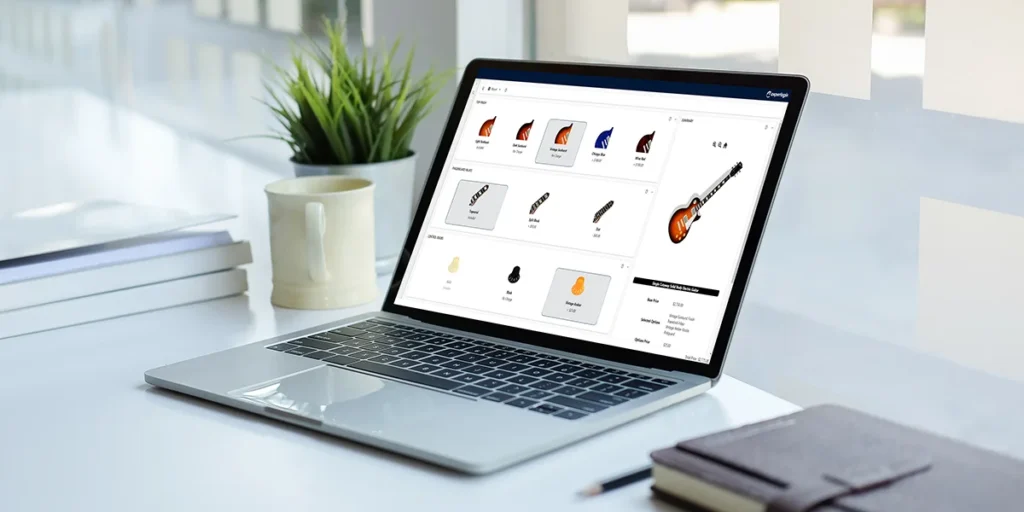
The Award-Winning CPQ Solution for Dynamics 365
Experlogix provides the absolute best CPQ experience for Dynamics users.
- Enterprise-class, cloud based integration
- Flexible Connectivity
- Advanced Quote and Order automation
- Works with standard, custom, and ISV entities out-of-the-box.
- Handles the most complex configurations and Quotes
- Dynamics user interface and Single Sign on
Hundreds of Dynamics customers, thousands of users and the partner community agree:
Experlogix is the proven CPQ leader for Dynamics 365.
Benefits
- Sell faster and with greater profits
- Eliminate quote errors
- Ensure maximum profits
- Speed up quote-to-order times
- Trigger discount & other approval workflows
- Up-sell and cross-sell with guided selling
- Extend to portals, mobile devices
- Out of the box implementation to customized ERP systems
Experlogix CloudConnect integration provides 100% flexibility to write to any table including custom tables in Business Central.
Complete integration with Dynamics 365 Business Central Jobs, Quotes and Sales Orders. Minimize customizations with comprehensive yet simple-to-use capabilities available out-of-the-box.
Harness our powerful image rendering technology to see product option changes the moment selections are made.
Launch the configurator from any job, sales order, or quote and accelerate your sales cycle, increase efficiency and deliver accurate prices at the highest possible margins every time.
Transform and control configured data. Integrate and map fields to populate and include detailed information. Write to a production BOM header or Sales line and easily include item attributes.
Automatically turn configured orders into BOM or routings, to streamline your quote-to-manufacture processes.
All Configurations are saved and linked to an order number and can be changed and updated as needed.
Take advantage of new Dynamics releases with no customizations required! Rest assured we support the new version every time – there’s never a delay.
Why Experlogix CPQ?
Experlogix provides an extremely flexible, powerful and scalable CPQ solution that is easy to learn and use. Maintain sophisticated configuration and pricing logic with minimal customizations. Our deep integration to Dynamics 365 Business Central is ready immediately upon installation, hosted on Microsoft Azure.
Experlogix provides an experienced professional services team that brings best practices to Dynamics CPQ projects from hundreds of successful implementations worldwide.
Frequently Asked Questions
How does Experlogix CPQ integrate with Dynamics 365 Business Central?
Complete integration with Dynamics 365 Business Central Jobs, Quotes and Sales Orders. Minimize customizations with comprehensive yet simple-to-use capabilities available out-of-the-box.
Can Experlogix CPQ work with custom tables in Business Central?
Experlogix CloudConnect integration provides 100% flexibility to write to any table including custom tables in Business Central.
Can Experlogix CPQ create BOMs and routings?
Automatically turn configured orders into BOM or routings, to streamline your quote-to-manufacture processes.
Does Experlogix CPQ provide product visualization?
Harness our powerful image rendering technology to see product option changes the moment selections are made.
Where can users launch the Experlogix configurator in Business Central?
Launch the configurator from any job, sales order, or quote and accelerate your sales cycle, increase efficiency and deliver accurate prices at the highest possible margins every time.
Are product configurations saved and connected to Business Central orders?
All Configurations are saved and linked to an order number and can be changed and updated as needed.